














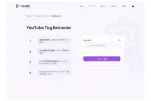
How Does YouTube Title Rewriter Work?
Enter the title of the video under “Your Title.”
Set the Tone of voice you want your video in. (not mandatory)
Hit “Rewrite my YouTube Title.”
A new creative title will be created for your video.


Can YouTube Video Titles Be Changed/ Updated?
You can always change your YouTube video title even after uploading it on the platform. However, if you don’t optimize it by following the right approach, your video may end up getting buried under the vast sea of content uploaded daily on YouTube.
If you are a beta user, you will have access to split testing that allows you to test different titles and choose the one that resonates more with viewers.
When and Why Should You Change the Title of a YouTube Video?
A catchy title creates the difference between getting 1 Million views or just 100 views. Changing or modifying a YouTube video title using an AI title rewriter can work both ways; it may increase views or attract fewer views than before.
You can rewrite the YouTube video title if
The existing title is poorly optimized or not optimized at all.
It lacks relevant keywords that viewers enter when searching for similar videos.
The existing title is not enticing enough to attract viewers to click on your video.
An AI title rewriter can help you brainstorm and create interesting YouTube video titles that will attract more clicks and drive views from your target audience.

Creators can make their YouTube video titles more effective by keeping few basic things in mind.

YouTube titles should be clickbaity yet simple and to the point. Stay under character limit that is of 60 words or less. Writing long titles won’t allow audiences to read the whole title in one go.
Include relevant keywords:
Serve the primary goal of optimizing video SEO by including relevant keywords to video titles. Include suitable keywords that have high search volume and low to medium competition.
Use emotive words:
Engage with your viewers better using emotive or persuasive words that encourage them to click on your videos. Subconsciously leading viewers to click on your videos using promising titles is a trick that leads to more views.
Use numbers when needed:
Adding numbers to your titles always makes them more compelling. Viewers pay more attention to numbers as they support factual representation. Titles with numbers mentioned in them do better as conmpared to normal titles.
Add hashtags:
Adding hashtags to your titles makes it easier for viewers to find your videos faster. Use appropriate hashtags that serves the purpose of the query or search made by a viewer.
Hit pain points of your audience:
Using your titles solve the concerns and queries of your audiences. Targeting what your audiences searches for the most and adding highly relevant titles will increase your engagement faster.
FAQs
Frequently asked questions!
Can a YouTube Title Rewriter suggest titles that are more educational or informative?
Yes. Set the Tone of voice in the VeeFly’sTitle Rewriter tool to educational or informative to sound formal and informative.
Can a YouTube Title Rewriter improve my video’s ranking on YouTube?
YouTube Title Rewriter tool boosts a video’s ranking as a more relevant, SEO-proof title is created through the tool. This method can generate reasonable amounts of organic views and is a sustainable option in the long term.
Can a YouTube Title Rewriter rewrite titles for any type of video?
Any type of video title can be changed using the YouTube Title Rewriter tool. Add the title name and generate a new, more relevant title.
How long does it take for a YouTube Title Rewriter to generate new titles?
Barely a few seconds! Get the desired title instantly without putting in much effort through this tool.
How do I know if a YouTube Title Rewriter is reliable?
VeeFly’s YouTube Title Rewriter gives enhanced, more appropriate, and SEO-proof titles. Videos get higher rankings and better reach when rewritten titles are added to the videos.