










Explore our YouTube SEO Tools





What Is a Thumbnail ?
A thumbnail is a video cover that entices viewers to click on your YouTube videos. It reflects the context of the video to the viewers and YouTube algorithm, explaining what they will see once they click on the video thumbnail.
Thumbnails are highly significant as they increase the chances of attracting views on your YT videos and higher engagement. Thumbnails represent your video and appear in the search results when you look for a query. You may also find it under the recommendation section and in the home feed.


How Should A Thumbnail Look Like?
YouTube video thumbnails should be clear and visually appealing for your target audience. It shouldn’t pass any misleading information or clickbait. Your video’s thumbnail is your first opportunity to capture the audience’s attention, so make it count.
How To Make Thumbnails in 5 Steps with VeeFly?
A great YouTube thumbnail isn’t just eye-catching. It also grabs attention, sparks curiosity, and follows YouTube’s guidelines. Follow the steps below to make a video cover using an AI thumbnail maker.

Go to veefly.com and log in with your credentials. You will see a ‘Go to dashboard’ button. Click on the button to explore the dashboard
Under AI tools, navigate to Content Generator, the first option on the panel, to create a YouTube video thumbnail.
Type out the video’s topic in the search box so the tool can understand the context of the video. Now, click on the right-faced arrow.
The tool will immediately generate the content for the video, including the title, description, keywords, video script, and thumbnail.
AI content generator will produce 2-3 video thumbnails. Hover on the thumbnail you want to save and click the download icon.
Tips To Create Engaging Thumbnails
YouTube values watch time over clicks. Design a template for YouTube thumbnail that accurately represents your video, keeps viewers engaged, and follows YT’s guidelines to avoid anything misleading.
Your thumbnails grab attention, while a title gives context to your videos. Align them using the YouTube thumbnail designer to boost clicks and improve your overall YT video performance.
The text on the thumbnail represents the video’s content. However, keep it short, clear, concise, and easy to read. Use a font that stands out.
A consistent thumbnail style makes your content instantly recognizable. With YouTube Thumbnail Maker, design eye-catching thumbnails using uniform colors, fonts, and visuals.
Your video cover should highlight the main subject to grab attention. Choose the outline opposite of your background color. A brighter outline for the dark backdrop and vice versa.
Benefits Of Using A Thumbnail Generator
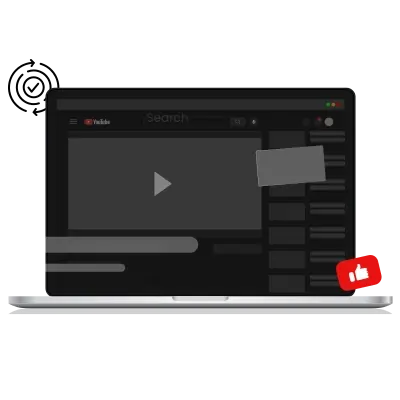
VeeFly’s AI thumbnail maker has easy navigation. You need to register yourself using the credentials, and you can use the tool from the dashboard. Fill in the requirement asked to create a video thumbnail and follow the instructions given.
Our YouTube thumbnail maker provides a variety of feature images to choose what best suits your video’s content. You can customize the template for YouTube thumbnails using the elements or choose the one from the existing ones.
The AI YouTube thumbnail designer saves you time and effort by quickly creating video covers. Regular creators use the YouTube thumbnail generator to produce multiple thumbnails in the time it takes to make one.
Branding involves creating a unique identity for your channel in your target audience’s mind. A YouTube thumbnail maker consistently maintains the brand identity through visual style and elements across all YouTube video thumbnails.
How To Boost Views With Optimized YouTube Thumbnails ?
Tips to create a YouTube video cover using the YouTube thumbnail designer to boost views and engagement.
Your video thumbnail should please the eyes of your audience. Focus on basic elements like font size, color, and the quality of the images used. Keep a clean and clear background to highlight the main feature of your YouTube video thumbnail.
The best thumbnail captures viewers' attention and connects with their emotions. Understand user intent and infuse emotional appeal into your video thumbnail. Using an AI thumbnail maker is incredibly helpful for amplifying emotions with its advanced features.
Viewers watch videos on various devices. Experts recommend using a 1280x720 resolution, which is large enough to highlight video elements and works well on both desktop and mobile. You can also use the 16:9 aspect ratio, the same as the 1280x720 resolution.
Adding brand logos to the video thumbnail creates business awareness and builds trust with potential customers. Use YouTube thumbnail maker to add the logo quickly. Brands also add social media links to redirect viewers to other business pages.
FAQs
Frequently asked questions!
What size are YouTube thumbnails?
1280x720 resolution is the ideal YouTube video thumbnail size. With YouTube thumbnail maker, you can quickly reshape the video cover based on the recommended size.
Are there rules for YouTube thumbnails?
Yes. According to your YouTube thumbnail guideline, creators should ensure that they do not add misleading or inappropriate content to the video cover as it can lead to channel restriction or ban. It also has the ideal thumbnail size and aspect ratio, which creators need to follow to confirm that the thumbnail has a detailed appearance.
Should you put text in YouTube thumbnails?
Yes, you should add text to your video thumbnail to allow your viewer to understand the video’s context and increase the number of clicks.
What are YouTube thumbnail best practices?
Making a thumbnail readable with a good choice of background color is the best practice for creating a video thumbnail that captures the viewer's attention. However, you must avoid using obscene language and inappropriate visuals inside the video cover.
What is the most attractive color for YouTube thumbnails?
If you want to grab your audience’s attention, choose bold colors like blue, orange, or yellow. For a more appealing and attractive video cover, opt for a plain white or black canvas.