










Explore our YouTube SEO Tools






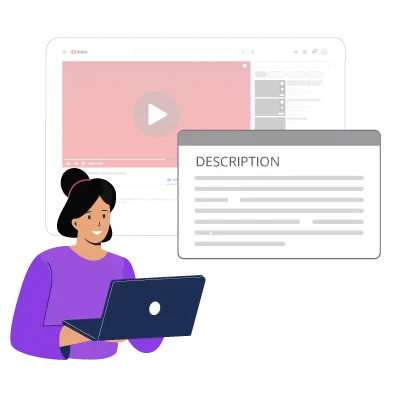
What Is A YouTube Video Description Generator?
A Description Generator leverages the power of AI to understand the context of your video title and generate a vivid description that includes relevant keywords from your content. It helps content creators save valuable time and create SEO-friendly descriptions for their YT videos in just a few seconds. These descriptions are compelling and enhance your video’s ranking in search results to get more visibility from your target audience.


What Is A YouTube Video Description?
A YouTube video description is a short section of text just below the video that provides additional information about the video content. The additional information includes
A brief explanation of what the video is about with relevant keywords
Links to resources or related videos
Website or Landing page links
Social media handles
CTA, asking viewers to subscribe or hit the bell icon
Timestamps and video chapters
Crafting an optimized video description encourages the YouTube algorithm to understand the context of your video, crawl it for relevant search queries, and rank your videos higher in search results. Besides, if your potential viewers find any particular YouTube video description enticing, it makes them curious to explore more of your video content. Save time and write appealing video descriptions by using an AI based YouTube description generator.
Why Is The YouTube Description Important?
YouTube descriptions are vital in optimizing your channel as they are the linking bonds between you, the YouTube algorithm, and your viewers. Reasons why proper YouTube descriptions are essential:
Good YouTube descriptions that are relevant always bring more clicks. The YT descriptions are visible below every video. Viewers who play any video on a desktop or phone see a part of the description before “Show more.” This keeps users intrigued and interested as they know what they’re watching.
Being the second-largest search engine, ranking is difficult from the beginning. For better SEO adding descriptions with proper content and keyword is crucial. If you assemble a suitable SEO jigsaw for your video description, you get the desired engagement on your channel.
The YouTube algorithm works on metadata. So it scans texts to know about the video; that’s when descriptions are vital. You can manipulate the algorithm with a YouTube description maker to rank you better.

How to Create Better Descriptions With VeeFly's YouTube Description Generator?
Whether you are a beginner or an established creator, you can easily use our description generator tool to create captivating descriptions in seconds.

Simply visit our YouTube description generator and enter your video title. Although keywords are optional, we recommend you enter them too to include them in your video description.
Once you click, our AI-powered description generator tool will identify the context of the terms and present a YT SEO-optimized video description.
Rather than selecting and copying the first result, we recommend trying different versions of descriptions using different keywords or modifying the title. It sparks your creativity and helps you draw up a description that is easy to read and results in consistently higher rankings.
Carefully review the numerous video descriptions generated and select the one that aligns with your video topic and channel goals. The selected description must include keywords and provide a personalized impact for the viewer.
What Should You Write In A YouTube Description?
Here are some things that a YouTube description must include:
Give a brief about what the video is about. Keep the language simple yet engaging and informative.
Add important timestamps from the video so it's easy for viewers to skip to the important parts easily.
Write a few words about your channel so viewers, while reading the description, can even learn about your channel.
You can suggest other videos or even playlists added to the video so viewers don’t have to search for things used or mentioned in the video.
You can suggest other videos or even playlists added to the video so viewers don’t have to search for things used or mentioned in the video.
Add links to all your other social media accounts to prove the relevancy of your channel so you can maintain a following overall.
Add relevant hashtags to your description to make the video appear higher on the search results. You can use Hashtag Generator to create and use hashtags in your description.
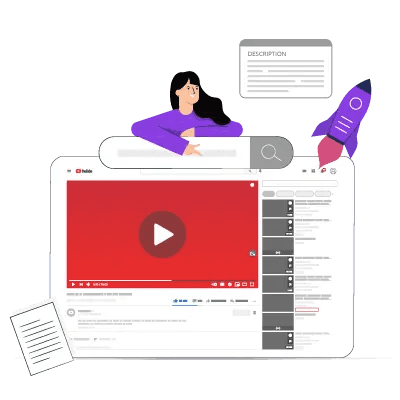
Benefits Of Using Description Generator For YouTube
Your video description helps the YouTube algorithm understand what your content is about. Here’s how our video description generator will benefit you in growing your channel.

Our AI-based YouTube video description generator focuses on delivering an SEO-optimized video description. Instead of brainstorming and spending hours daily, our YT SEO tool can automatically generate high-quality, SEO-optimized descriptions in less time.
Since it automates the process of writing enticing video descriptions, creators can focus their efforts on increasing the quality of their content and developing new strategies to grow on the world’s largest video-sharing platform
Using our powerful YouTube video description generator ensures consistent language across all videos. It helps to develop a uniform and unique brand identity for your channel by providing a structure to your descriptions.
SEO-optimized video descriptions lead to higher rankings in the search results. Higher rankings attract more viewers and more potential for increased visibility of your channel, boosting its growth and engagement.
Our YouTube video description generator tool uses creative language and phrases that spark human curiosity and draw viewers to your videos, thus boosting the views on your YT videos
What Is Not Allowed In The YouTube Descriptions?
Avoid adding links to any sensitive content site. Everyone watches videos on YouTube, from minors to adults, so you must protect them from displaying any content that contains nudity, acts of self-harm, or any other explicit content. Read YouTube’s policies regarding what's allowed before adding your content.
Steer clear of spammy content or links that mislead your viewers. This also affects the SEO of your video. Using a YouTube video description generator, you can avoid such content.
Keep the YouTube community clean and maintain its dignity to be a safe space for people to be open about their faiths and beliefs. Don’t add content that violates, disregards, or harms any individual or community.
A few products might not be allowed to be promoted or sold through YouTube. Read through YouTube’s terms of service and regulations before adding product links.SEO-optimized video descriptions lead to higher rankings in the search results. Higher rankings attract more viewers and more potential for increased visibility of your channel, boosting its growth and engagement.

Tips to Write YouTube Video Descriptions that Boost Views
An engaging YouTube video description is essential to making your channel stand out from your competitors on the world’s largest video-sharing platform. Here are a few tips for crafting an engaging video description that appeals to your viewers and attracts views.
Craft an intriguing intro that catches your viewer’s attention in the first 5-7 seconds.
What genuine value can you offer to your audience? Why should a random viewer become a loyal subscriber to your channel?
Include the answer in the YouTube video description.
When infused correctly in descriptions, keywords can boost video views, giving your channel a massive advantage.
Mention the relevant keywords in a YouTube description generator AI tool. The tool will infuse them in the right places in the description.
Try incorporating at least 2 primary keywords at the beginning of the description for best results.
Provide additional value to your viewers by including links to related content or products.
Links to helpful resources make it easier for your viewers to find what they are looking for.
Hashtags can help maximize the reach of your videos to a wider audience.
Explore various AI hashtag generators that provide relevant, niche hashtags that increase the potential visibility of your videos.
Encouraging viewers to interact with your content leads to higher engagement rates on your channel.
Ensure to include a CTA in the description to enable the viewer to step up to the next stage rather than getting lost in the sea of information.
Test how your video description looks on multiple devices. Optimize it for the best results on each device.
Analyze YT analytics to discover the keywords, style, or hook that are attracting potential viewers.
Consistently measure the effectiveness of your descriptions using an AI description generator for YouTube videos.
Identify the missing elements that make your video descriptions less appealing. Add and optimize them to attract the most clicks consistently in the future.
FAQs
Frequently asked questions!
Can I use a YouTube description generator for all types of videos?
Yes, users can extract descriptions for any type of video they’re interested in. Description for video of any niche can be created.
Can I customize the descriptions generated by a YouTube description generator?
You can edit generated content from a YouTube description generator AI tool. While editing or adding your extra content, just don’t forget to maintain the SEO.
Is there a limit to the number of descriptions I can generate using a YouTube description generator?
You can create countless descriptions using a YouTube title and description generator. Simply add the title and keywords to generate a description.
Can I use a YouTube description generator to generate tags for my videos?
No, you cannot create tags from a YouTube Description maker. For generating tags, you can use VeeFly’s Tag Extractor.
Can I include affiliate links in my YouTube video description?
YouTubers can add affiliate links to their descriptions. But it is advised that you don’t spam your description box with them. Keep it limited and relevant.
Should I update my YouTube video description over time?
Yes. Keep updating the description to maintain the video's ranking and visibility on YT's search page. This will impact the views on your videos.
How Can Description Generator Improve My Video's Performance?
A YouTube video description generator can help you create compelling SEO-optimized YT video descriptions that increase their rankings on search results and drive higher engagement in just a few clicks.
Can I Copy Other YouTube Descriptions?
We never recommend copying other YouTube video descriptions since they can be flagged as duplicate content and may result in copyright violation from YouTube.