


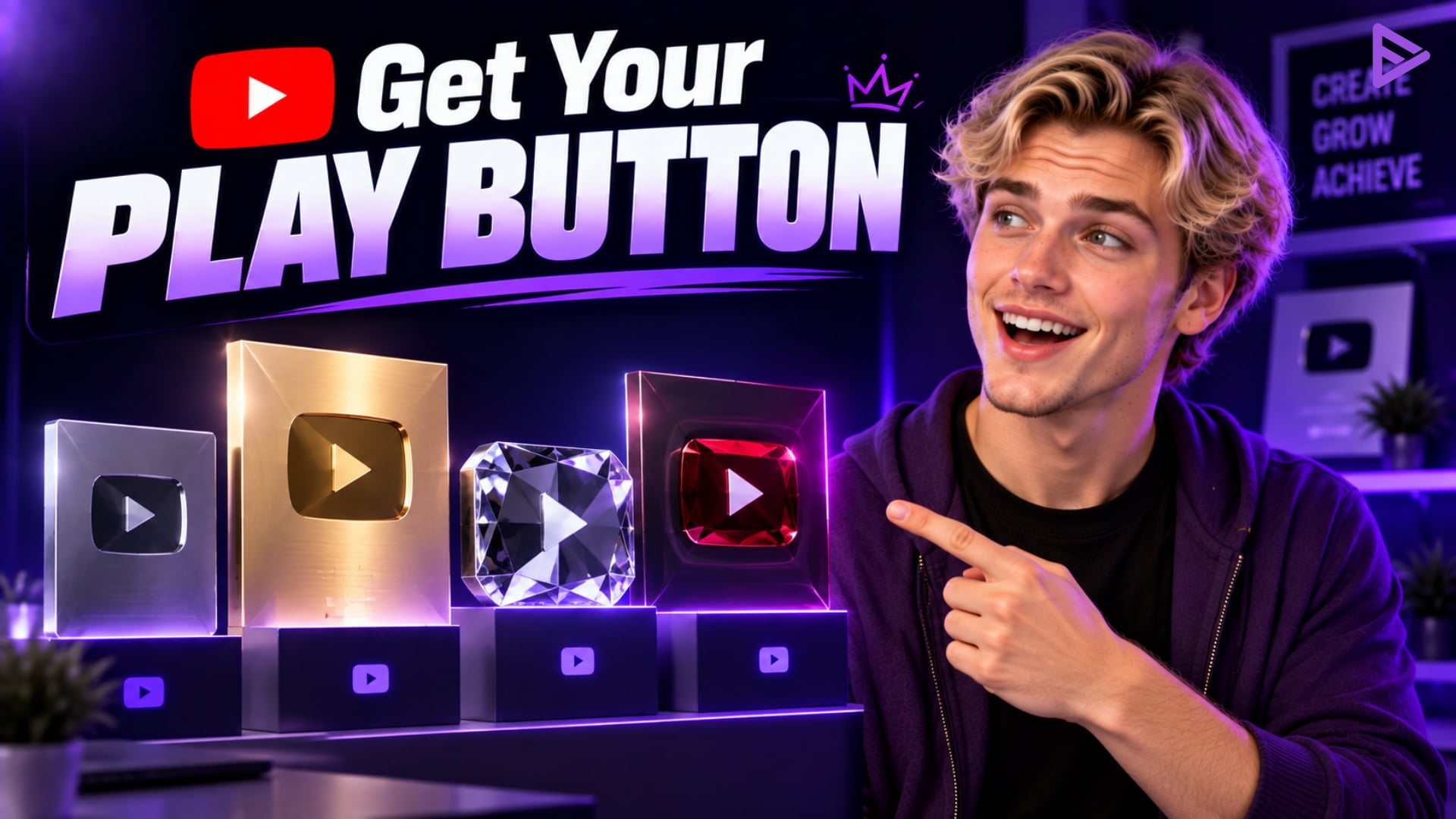
Key Takeaways
- When creators reach subscriber milestones, YouTube awards them different Creator Awards.
- The first regular YouTube Play Button is the Silver Creator Award, awarded after reaching 100,000 subscribers.
- Getting a subscriber milestone is not an automatic endorsement, as YouTube verifies each channel for eligibility.
- Your channel must be active and comply with YouTube’s policies, have no active Community Guidelines or copyright strikes, and feature original content as the primary source.
- You do not have to be part of the YouTube Partner Program to receive a Creator Award.
How Do You Get A Play Button From YouTube or YouTube Creator Award?
If you are curious about how to get YouTube Play Button, you have to reach one of the qualifying subscriber milestones set by YouTube to be able to qualify for the rewards.
The YouTube Play Button, or YouTube Creator Award, recognises creators who achieve significant subscriber milestones during their channel-building journey. If they do so responsibly, YouTube offers four standard awards: Silver, Gold, Diamond, and Red Diamond.
Reaching the milestone is only one part of the process. YouTube also verifies the channel before issuing a redemption code, so creators must keep their channel active and follow the platform’s policies.
What is a YouTube Play Button?
A YouTube Play Button is a physical Creator Award that YouTube gives eligible creators for reaching major subscriber milestones. The YouTube Play Button is awarded to creators who achieve a specific milestone on the YouTube platform. The recognition is famously known as the YouTube Creators Awards. Every day, someone on the platform reaches a particular milestone. A creator’s award is a way of appreciation from YouTube for creators’ hard work and creativity.
There are multiple types of Playbuttons. We will cover them later in the blog. For now, long story short. A creator receives an award for reaching a specific number of subscribers. The milestone is celebrated because it takes a huge effort to achieve.
What are the different types of YouTube Play Buttons?
YouTube currently lists four standard Creator Awards: Silver at 100,000 subscribers, Gold at 1 million, Diamond at 10 million, and Red Diamond at 100 million.
| YouTube Play Button | Subscriber milestone |
| YouTube Silver Play Button | 100,000 subscribers |
| YouTube Gold Play Button | 1 million subscribers |
| YouTube Diamond Play Button | 10 million subscribers |
| YouTube Red Diamond Play Button | 100 million subscribers |
The Silver and Gold Play buttons were first presented in 2012 at the VidCon video conference. At the time, reaching 1M subscribers was a far-fetched dream, but as the audience grew, so did the milestone bar. As a result, YouTube adapted and introduced the Diamond Play Button in 2015. YouTube star PewDiePie was the first to win the revered Button.
So far, only 4 YouTube channels have been awarded all the YouTube Play Buttons. They are T-Series, PewDiePie, Cocomelon, and SET India. The creators’ awards, or plaques, are gifts from YouTube that help build brand awareness and motivate creators to work harder and achieve greater success.
How do you get a YouTube Play button?
To get a YouTube Play Button, a creator must reach a qualifying subscriber milestone and meet YouTube’s Creator Award eligibility requirements. After hitting a certain number, YouTube awards different play buttons. For example, a silver button for 100,000 subscribers or a gold play button for 1 million subscribers.
Reaching the subscriber milestone does not automatically guarantee an award because YouTube reviews each channel before issuing the Creator Award.
To redeem the YouTube Play Button, the channel must be consistently active, produce original content, and comply with the Terms of Service and Community Guidelines.
After the channel is verified for the YouTube Play Button. The creator receives the award within one to one and a half months.
YouTube Silver Play Button
The YouTube Silver Play Button is the most special of all YT Creator Awards, as it’s the first recognition award creators receive from the video streaming platform. YouTube awards the Silver Play Button to eligible creators who reach 100,000 subscribers.
YouTube Gold Play Button
YouTube awards the Gold Play Button to eligible creators who reach 1 million subscribers. Early on, 1M subscribers was a rare milestone, but over time more and more creators passed it as reaching newer audiences became easier and faster with YouTube promotion and ads. In addition, platforms like VeeFly made it easier for YouTubers to run promotional campaigns and reach these desirable milestones.
If you are wondering if the YouTube Gold Play Button is made of real gold, I’m sorry to break your bubble, but it’s made from gilded brass.
YouTube Diamond Play Button
Winning the Diamond Play Button is a tremendous milestone. You need a whopping 10M subscribers to get the Diamond Play Button. When the award was introduced in 2015, only 35 channels were eligible for it.
YT Custom Play Button
This is a remarkable milestone, so the award to commemorate it is extra special. When a YT channel crosses the colossal milestone of 50M subscribers, YT sends them a Custom Play Button. As the name suggests, the plaque is custom-made. In addition, the YouTube channel’s logo and other features are highlighted on the award.
The custom Play Button recipient PewDiePie received a red plaque shaped like a fist for his 50M milestone. Check out his unboxing video as he goes crazy with excitement:
YouTube Red Diamond Play Button
The most extraordinary of all the Play Buttons, the Red Diamond Play Button, is given to YouTubers with 100M subscribers. That’s more than Germany’s population. It’s not an easy feat to conquer, so only 5 YouTube channels have reached this unbelievable milestone.
Now that we are well acquainted with all the Play Buttons, let me tell you about the additional benefits that YouTube provides its creators. These are not eligible for Creator Rewards, but they do offer several primary advantages:
- Graphite
This is for channels with 1 to 999 subscribers. YouTube Channels with 100 subscribers or more can apply for a custom URL.
- Opal
This one is for channels with 1,000 to 9,999 subscribers. Once you reach Opal, you are eligible for the YouTube Partner Program, which also requires 4000 watch hours in the last 12 months, along with a manual review of the channel’s content in compliance with the YouTube content guidelines.
- Bronze
This is for channels with 10,000 to 99,999 subscribers. The YouTube NextUp program is exclusive to channels meeting this milestone and other program criteria.
Eligibility To Get YouTube Creators’ Awards:
To be eligible for a YouTube Creator Award, your channel must reach the relevant subscriber milestone and meet YouTube’s activity, policy, originality, and account requirements.
Now that we have covered all the milestones and how to get the Creator awards, let’s discuss what not to do to ensure you win the coveted different YT Play buttons. YouTube reviews the channel to ensure it meets specific criteria before issuing a reward.
YouTubers who do not meet the following criteria will not be able to claim the Creator Award:
- Your channel must not violate the YouTube Community Guidelines
- Your account must not have any copyright infringement warnings.
- The channel must have a clean reputation.
- The account must comply with YouTube’s Terms of Service
- Your content must be original.
- Your main content must be original. Channels focused on compilations, mixes, curation, or heavy use of someone else’s copyrighted content may be ineligible.
- Your channel must be active, meaning it must have uploaded content within the last six months.
- You must not have been rejected or suspended from the YouTube Partner Program.
- You do not need to be a YPP member to qualify for a Creator Award.
Tips on How to Get a YouTube Play Button
To get a YouTube Play Button, consistently create original content for a specific audience and build your subscriber base.
Getting a YouTube play button is a long process. Creators must upload content that consistently boosts channel engagement. Although it requires commitment, we’ve shared tips to help you reach your goals sooner.
Create quality content:
Create quality content that educates, solves a problem, or entertains your target viewers. As obvious as it sounds, it’s still difficult to do well. To capture the audience’s attention quickly, try producing high-quality content. You don’t have to invest thousands of dollars, but the content should educate, solve a problem, or entertain the viewer.
Content for the target audience:
Create content for a clearly defined target audience to build a stronger base of returning viewers. Create content for specific audiences. Generic content won’t build a returning audience. Choose a niche and create content for your audience. This will help you build a loyal community.
Optimise the channel:
Optimise your titles, descriptions, thumbnails, and overall channel strategy based on your audience and YouTube Analytics data. Use attractive niche-specific titles, in-depth descriptions, relevant tags, and eye-catching thumbnails. Optimise the channel using the latest practices that drive engagement.
Promote the channel:
Promote your videos across relevant platforms and communities to help introduce your content to new audiences. Divert audience from other platforms to your YouTube channel. Try promoting your content on social media platforms such as X or Instagram. Embed videos on the website or collaborate with different channels to acquire an audience
What Could Prevent You from Getting Your YouTube Creator Award?
You may not receive a YouTube Creator Award even after reaching the subscriber milestone if your channel does not meet YouTube’s eligibility requirements.
As a result, creators who do not meet the following criteria may not receive a YouTube Play button.
- The account must have no copyright infringements.
- All YouTube accounts must follow the YouTube Terms of Service.
- Original material must be generated by channels.
- The account has to follow YouTube’s Community Guidelines.
- The account must be in “good standing” on YouTube.
- The channel must remain active and must not contain deceptive, spammy, or scam content.
YouTube also awards the Creator Award at its discretion after reviewing the channel. If you reached the milestone within the last week, YouTube says eligibility reviews can take up to 10 days before you receive a notification.
If it’s been more than three weeks since you hit a subscriber milestone and you haven’t received a message on your creator dashboard, YouTube recommends contacting its creator support team.
In some cases, even if all the above conditions are met, YouTube may still refuse to present the award to the channel. Because the YouTube Creator Award recognises creators valuable to the platform, YouTube can deny a specific channel the award if it deems it unworthy.
How to Apply For Your YouTube Play Button?
Once YouTube confirms your channel is eligible, you’ll receive a redemption code to order your Creator Award. If you have misplaced it, YouTube also provides an eligibility check to retrieve the code.
To redeem the award:
- Find and copy the redemption code YouTube sent you.
- Go to the Creator Awards redemption website and enter your code.
- Enter your shipping information and specify how you want your channel name to appear on the award.
- Select “Order Now” to complete the redemption.
How Long Will It Take to Receive a YouTube Play Button?
YouTube says eligibility reviews can take up to 10 days after a creator reaches a subscriber milestone, while shipping time varies after you redeem the award. Once you see your redemption code, you can apply for the YouTube Play Button. The hard part is over. Now you just have to be patient. As discussed, it takes 2-3 weeks. However, the YouTube Play Button is unavailable in certain countries.
The countries are :
Belarus, Cuba, Iran, Myanmar, North Korea, Russia, Somalia, Sudan, Syria, Tajikistan, Vanuatu, Venezuela, and Yemen.
What Does YouTube’s CEO Say About Creators in 2026?
YouTube continues to position creators as central to the platform’s future and the broader entertainment ecosystem. In January 2026, YouTube CEO Neal Mohan wrote:
“When creators hold the keys to their own production and distribution, the only limit is their imagination.”
Mohan made the statement in YouTube’s 2026 CEO letter while discussing how creators are increasingly producing their own formats and building media businesses on the platform.
Final Thoughts
To get a YouTube Play Button, you must reach a qualifying subscriber milestone and meet YouTube’s Creator Award eligibility requirements. You need 100,000 subscribers for Silver, 1 million for Gold, 10 million for Diamond, and 100 million for Red Diamond. YouTube reviews your channel before issuing the award, so reaching the subscriber milestone alone does not guarantee a Creator Award.
You must follow all the YouTube rules and regulations to receive the YT Play Button.
If you’re working toward a major subscriber milestone, VeeFly can support your broader YouTube promotion strategy alongside consistent content, audience research, and channel optimisation.
Frequently Asked Questions
Q.1 Does it cost money to get a YT Play Button?
No. YouTube provides eligible creators with a complimentary Creator Award for each milestone. You can purchase additional awards through YouTube’s process, subject to its terms.
Q.2 Will I get the play button for 1000 subscribers?
No, you will not get a play button for 1000 subscribers. The awards start with the Silver Play button, which the channel gets after 100,000 subscribers.
Q.3 Can I buy a YT Play button?
You cannot buy the complimentary Creator Award that YouTube gives you for reaching a subscriber milestone. YouTube says Creator Awards are for personal use and may not be sold or distributed outside your channel team.
Q.4 Can I get the YT play button without monetisation?
Yes. You do not have to be a member of the YouTube Partner Program to qualify for a Creator Award. You still need to meet the subscriber milestone and all other eligibility requirements.