


Key Takeaways:
- The fan funding feature lets you monetise through YouTube beyond ad revenue.
- Check eligibility for the YouTube Partner Program to proceed with fan funding.
- Each fan funding account has its own eligibility criteria. So check before applying.
- Maintain consistent account activity and follow best practices to maximise revenue and subscribers.
YouTube Fan Funding lets eligible creators earn directly from viewers through features such as Channel Memberships, Super Chat, Super Stickers, and Super Thanks. Creators must meet YouTube Partner Program and feature-specific eligibility requirements before enabling these monetisation options.
What is YouTube Fan Funding?
YouTube Fan Funding lets eligible creators earn financial support from viewers through features such as membership, Super Chat, Super Stickers, and Super Thanks.YouTube introduced Fan Funding in September 2014. This feature allows viewers to directly support their favourite YouTuber with money. It also lets creators earn money through their YouTube channel in addition to Ad revenue. Fan funding includes: Super Chat, Super Thanks, Super Stickers, Channel Memberships. Viewers can pay to get their messages highlighted during Live chats and tip creators on regular videos. Read on to learn what fan funding on YouTube is and how to turn it on.
How Does YouTube Fan Funding Work?
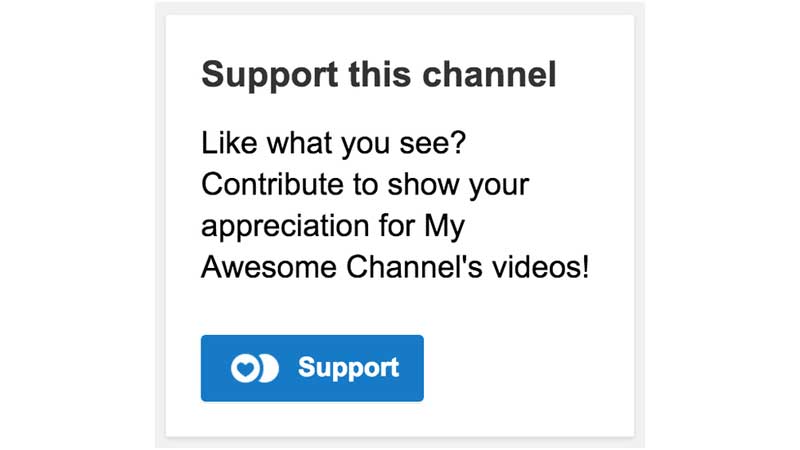
Fan Funding on YouTube works once you meet the YPP eligibility criteria. Once you meet the requirements, you can enable a tip jar button on the channel page. Your loyal audience can click the jar button and donate however much they like. You can accept the payments through a secure Google Wallet. When a viewer donates, you will receive an email notification and a message that a viewer has made a donation.
Let’s look at the criteria for earning the YouTube Fan Funding title. Apart from the tip jar, most creators on YouTube also earn through these four features:
- Channel Membership: Viewers/fans can purchase a YouTube channel membership by paying a monthly fee. In return, the particular YouTube channel offers special perks such as custom badges, members-only content, and emojis.
- Super Chat and Super Stickers: This feature lets fans pay their favourite creator during live streams and premieres. Fans can pay to pin their message or drop an animated sticker in the chat.
- Super Thanks: One way for fans to tip their favourite YouTuber is to tip them on regular content. Their comments may get highlighted or animated.
Note that the creator does not receive the full amount. Creators receive around 70% of the net revenue generated. This is similar to ad revenue. Expert Quote: To start earning from YouTube Fan Funding, creators must first accept the Commerce Product Module and enable fan-funding features in their account.
What are the eligibility criteria for Fan Funding YouTube?
Creators who are eligible for the YouTube Partner Program can apply for YouTube Fan Funding if they satisfy the eligibility criteria for specific fan-funding features. Each fan-funding feature has its own set of eligibility criteria. However, creators need to fulfil certain basic criteria to be eligible for YPP, such as:
| Criteria | Details |
| Geographical eligibility | With the most recent updates, approximately 138 countries can participate in the YouTube Partner Program |
| Age | 18 years or older |
| Channel status | The channel must be a part of the YouTube Partner Program |
Note: Since March 10, 2022, Russian creators can no longer sign up for the new YPP. This is because Google suspended its advertising systems in Russia.
Channel Membership Eligibility
To be eligible for channel membership, your YouTube account must meet these criteria:
- Live in a country that’s eligible for YPP
- Do not have kids’ videos
- Must not have “Made for Kids” turned on your account
- Must not be a channel with music claim videos, as these are not eligible
- The account and MCN (Multi-Channel Network) must comply with the terms and policies of YouTube
Super Chat and Super Stickers Eligibility
Make sure your account meets these criteria to be eligible for Super Chat and Super Stickers:
- Live in a country that’s eligible for YPP
- The account and MCN must comply with the terms and policies of YouTube
- Not available for videos that are age-restricted, unlisted, private, made for kids, or fundraising.
- Not available if live chats and comments are turned off
Super Thanks Eligibility
By meeting these criteria, your account on YouTube can become eligible for Super Thanks:
- Live in a country that’s eligible for YPP
- The account and MCN must comply with the terms and policies of YouTube
- Must not have “Made for Kids” turned on your account
- Not available for videos that are age-restricted, unlisted, private, made for kids, or giving fundraisers
- Videos or Shorts with copyright claims, Live streams, or Premieres when live
Not available if comments are turned off
How to Enable YouTube Fan Funding Title?
To enable YouTube Fan Funding, visit YouTube Studio once your channel meets the YPP and eligibility requirements for Fan Funding feature:
- Apply for the YouTube Partner Program and proceed if accepted
- You (and your MCN) must agree to the terms and policies of the Commerce Product Module (CPM)
- Check the eligibility criteria for your fan funding feature before you begin.
- In the YouTube Studio or YouTube Studio Mobile application, turn on the fan funding features
- Note: The Commerce Product Addendum (CPA) is replaced with the Commerce Product Module (CPM) for new YPP creators. Accounts that signed the CPA do not need to sign the new CPM.
Who is Eligible for the YouTube Partner Program?
To enable funding for your YouTube channel, your account needs to be eligible for YPP. Here’s the eligibility check:
- You must follow the policies of the YouTube Channel Monetisation
- You must be a resident of the participating country (one of 138 countries eligible for YPP)
- Your channel must not have any active Community Guidelines strikes
- The two-step verification of your Google account must be on
- Your account must have access to advanced features on YouTube
- Approve and verify your AdSense account. Also, link it to your YouTube account.
Note: YouTube notifies you of eligibility when you achieve either 1000 subscribers with 4000 valid public watch hours in the last 12 months or 1000 subscribers and 10 million valid public Shorts views in the last 90 days.
If you are eligible for YPP, follow these steps to apply for the same:
- Visit the YouTube Studio app
- Click on ‘Earn’ in the bottom menu
- Click on ‘Apply Now’ and proceed
- Press the ‘Start’ option to accept the terms of the YPP
- Set up a new or link an existing AdSense account for your YouTube channel
Best Practices to Encourage Fan Funding
Turning on the fan funding feature alone isn’t enough, because your fans need reasons to pay. Following these habits can make a big difference to your YouTube account and fan funding:
- Regularly offer perks on your channel that feel worth paying for, such as members-only videos, early access to videos, and behind-the-scenes content.
- While a tip jar may sit quietly on your channel, it is important to mention fan funding subtly during live streams or in videos, so fans know it exists.
- You may publicly shout out your supporters. You can do so by replying to their comment, mentioning them on stream, or sending them a thank-you card.
- Be specific and clear about why you need support. Viewers and fans tend to support creators who stay transparent.
Final Thoughts
YouTube Fan Funding feature helps valuable creators earn directly from viewers who like and value their content. With consistent effort and meaningful, quality content, creators can build a loyal audience. Check if you are eligible for YPP and choose a YouTube Fan Funding feature of your preference. To increase your reach and views, you can also get help from VeeFly’s YouTube video promotion service.
Frequently Asked Questions
Q1. How does fan-funded make money?
Content creators make money through fan funding when audiences directly support them through platforms like YouTube, Patreon, and OnlyFans. These donations could be one-time or recurring.
Q2. What is the meaning of fan-funded?
Fan-funded means raising capital from many individuals online. It is also known as crowdfunding.
Q3. How do you get your fans to pay you directly on YouTube?
Once you meet YPP’s eligibility criteria, you must enable fan funding features. Once you enable the Earn tab on YouTube Studio, you must set up a Google Wallet to receive payments directly into your account. Fans can pay you directly through Channel Memberships, Super Chat, Super Thanks, and YouTube Premium Revenue.
Q4. Can you make money from fan page on YouTube?
Yes, you can definitely make money from a fan-centric page. You also need to ensure the fan page follows YouTube’s monetisation policies.
