


Key Takeaways:
- Peak Weekday Hours: 2 PM – 4 PM EST is the best time to index, prior to evening viewing.
- Peak Weekend Hours: 9 AM – 11 AM EST are the early morning to midday weekend hours.
- Shorts Timing: The best time to upload YouTube videos in Short format is 6 PM to 10 PM on weekdays.
- General global benchmarks don’t apply to the Custom Analytics: “When your viewers are on YouTube” report in YouTube Studio.
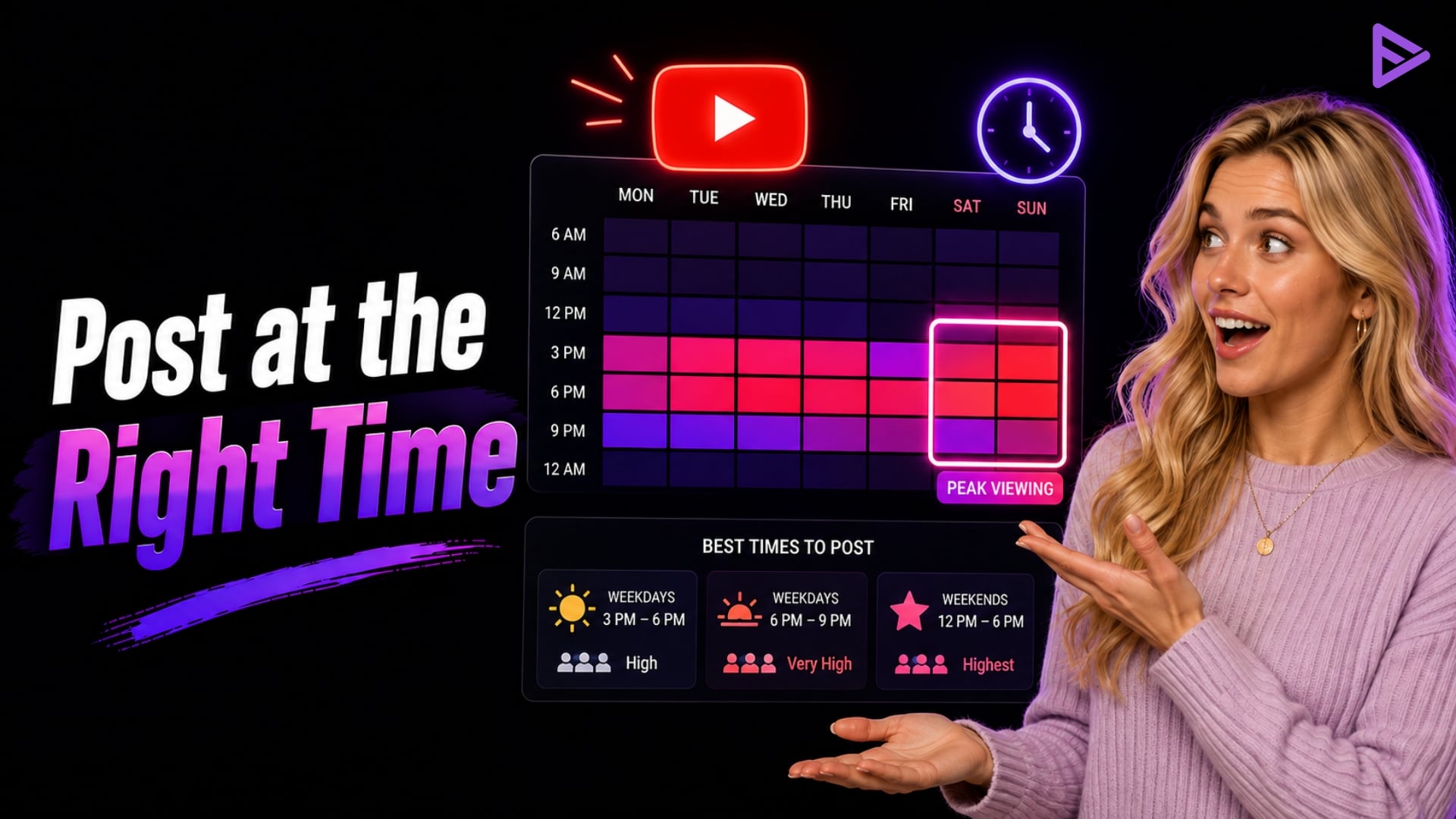
The best time to post on YouTube is generally 2:00 PM to 4:00 PM EST on weekdays and 9:00 AM to 11:00 AM EST on weekends, giving YouTube time to process and index your video before peak viewing hours. However, the ideal posting time varies by audience, location, content type, and viewing habits. YouTube Studio’s “When your viewers are on YouTube” report can help you identify when your specific audience is most active and choose a more effective publishing schedule.
What Is The Best Time To Post On YouTube?
Most YouTube users are between 18 and 45. People are busy during the week and have more free time on weekends. Therefore, weekends are the best time to post on YouTube! Fridays and Saturdays are when people spend more time on social media and entertainment. Since YouTube is the best video-sharing platform and offers a variety of videos that educate, entertain, guide, and upskill, people tend to engage most on weekends and holidays.
While the optimal time to post on YouTube may differ by day of the week, the overall trend is to post in the afternoon on weekdays and earlier on weekends. The best time to upload is when traffic is lower.
One of the important ranking factors of YouTube is to obtain high views. So, knowing the best time to post on YouTube can help you gain views organically. To get more views, you need to find out when your subscribers are active on YouTube.
Sunday is the ideal time of the week to engage people with your videos. The best time to post is either early in the morning, between 9am and 11am, or later in the evening, from 5pm to 9pm.
This is a universal YouTube posting window matrix.
| Day | Best Time Window (EST) | Peak Viewer Activity |
| Monday | 2:00 PM – 4:00 PM | 6:00 PM – 9:00 PM |
| Tuesday | 2:00 PM – 4:00 PM | 6:00 PM – 9:00 PM |
| Wednesday | 2:00 PM – 4:00 PM | 6:00 PM – 9:00 PM |
| Thursday | 12:00 PM – 3:00 PM | 6:00 PM – 10:00 PM |
| Friday | 12:00 PM – 3:00 PM | 5:00 PM – 10:00 PM |
| Saturday | 9:00 AM – 11:00 AM | 3:00 PM – 8:00 PM |
| Sunday | 8:00 AM – 11:00 AM | 12:00 PM – 6:00 PM |
Sunday is the perfect time of the week to engross people with your videos. Friday through Sunday is typically the best time to post entertainment videos on YouTube.
Talking about YouTube Shorts, let’s see what the best time to upload to YouTube Shorts is.
What Is The Best Time To Upload YouTube Shorts?
The best time to post YouTube Shorts is 6:00 PM to 10:00 PM on weekdays and 12:00 PM to 6:00 PM on weekends. People watch Shorts during short breaks, and evenings offer the best reach.
The algorithm’s feed structure enables YouTube Shorts to connect with viewers quickly. The best time to upload to YouTube Shorts is between 6 pm and 10 pm on weekdays and between 12 pm and 6 pm on weekends.
Also, remember that posting time largely depends on the audience you plan to target. To target people in several US time zones, posting at 8:00 AM EST will cover both Eastern and Pacific time zones.
Finding The Best Time For You To Post YouTube Videos And Shorts
Knowing the idle time to post your videos is fine. But that timing may not suit your audience and their behaviour. So, you need to find out when your loyal audience watches. One great way to do that is to check YouTube Studio.
YouTube Studio is like your channel’s control room. It shows every detail of your videos, including subscribers, comments, likes, and engagement rate. You can select the “Go to channel analytics option to get details about your video’s performance.
Under analytics, you also get real-time updates, like increases in subscriber count and the most-watched time data. This helps you post at the best time and, meanwhile, buy YouTube subscribers.
How to Use YouTube Analytics to Determine the Best Posting Times?
YouTube analytics can help you decide the best time to post. Go to your YouTube Studio tab and select Analytics. There, you will see the audience; under the section, you will find ‘When Your Viewers are on YouTube.’ Now, you need to be clear about one thing. This section shows when your audience is on YouTube watching videos. It won’t tell you specifically when they watch ‘Your’ videos only. Note when they are most active and schedule your videos for those times so your audience doesn’t miss them.
Best Practices for Timing Your YouTube Video Uploads
Ideal video timing practices include uploading 2-3 hours before traffic peaks, uploading each week consistently, and scheduling posts for automation. This way, you can be sure processing will finish before your audience arrives.
- Buffer for Processing: Upload videos as “Unlisted” 2-3 hours before your desired publish time to ensure video processing (HD/4K) and Content ID processing are completed.
- Consistency is Key: Publishing at the same time each week helps set expectations for readers.
- Global Audience Distribution: When organic timing doesn’t work out, creators can rely on a dedicated Google Ads promotion dashboard to help maintain views across time zones.
Final Thoughts
You can work hard to create content, but if you post it at an incorrect time, all your efforts will be in vain! Hence, knowing the best time to post on YouTube will help you plan accordingly. Remember, these timings aren’t specific to you, so it’s best to use your demographics to choose when to post.
YouTube posting times depend on your time zone. If posting at the right time doesn’t help your videos get views, you can also promote videos on YouTube. Advertising videos on the platform will reach your audience anytime, regardless of time zones.
Frequently Asked Questions
1. How long does it take to upload a 1-hour YouTube video?
Uploading a 1-hour video takes time based on the video size and your internet speed. Standard HD videos usually take 10 to 30 minutes to upload on high-speed connections, while 4K videos can take several hours.
2. Does the best time to post vary for every channel?
Yes, the ideal posting time can vary based on your audience’s location, habits, and preferences. Use YouTube Analytics to identify when your viewers are most active.
3. How often should I update my posting schedule?
Review your posting schedule periodically, especially if you notice shifts in audience engagement or analytics trends. A quarterly review is a common practice.
4. Does content type influence the best posting time?
Yes, different content types appeal to audiences at different times. For example, educational content may perform better during weekdays, while entertainment or gaming videos might thrive on weekends.
5. Does posting at the wrong time permanently harm a video?
No, posting at an off-peak hour will not permanently ruin a video’s performance. The YouTube algorithm evaluates long-term engagement signals like click-through rate and average percentage viewed over time.
